一、启动
1、启动服务
1、cd 到 package.json 所在层
2、执行npm install/yarn install,
=> 执行后会生成node_modules
3、通过npm run执行package.json中scripts里提供的命令(里面的命令是自己可以改的)。如:
1 | npm run dev:client |
执行结果在终端成功的话,显示为:Compiled successfully.
如:
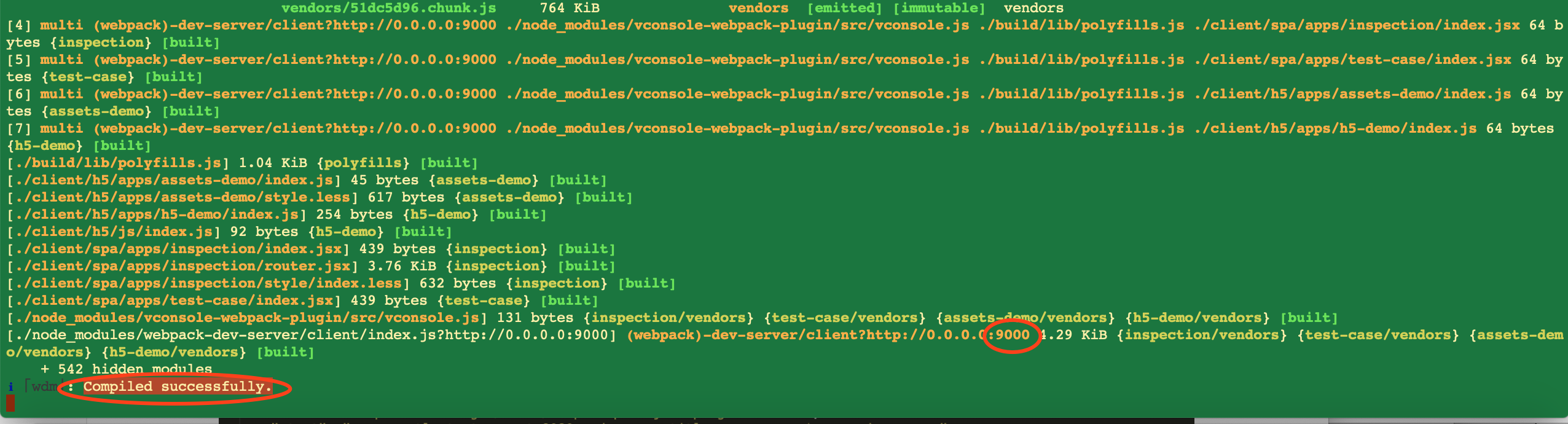
分析本步骤的命令执行的内部原理
观察得执行该命令,其实会去执行当前目录下的bulid中的webpack.dev.js文件
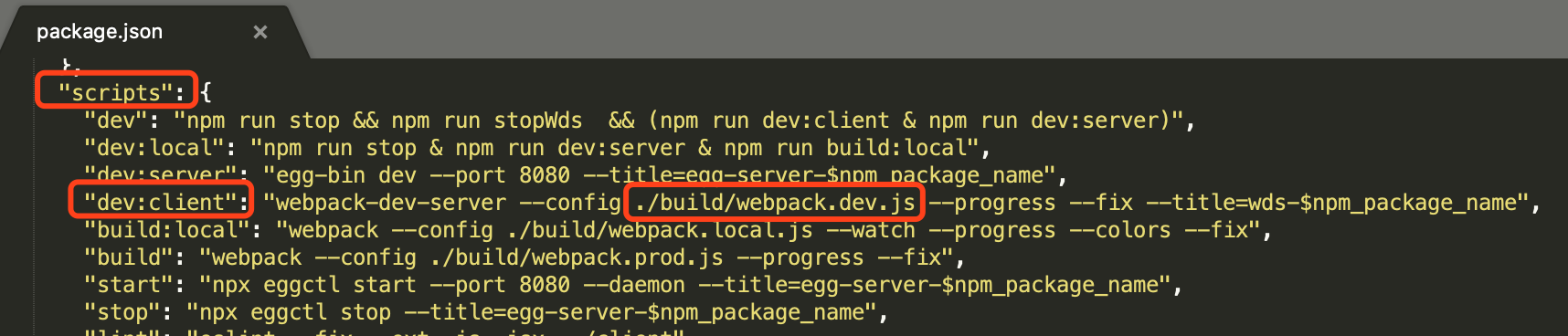
打开该文件
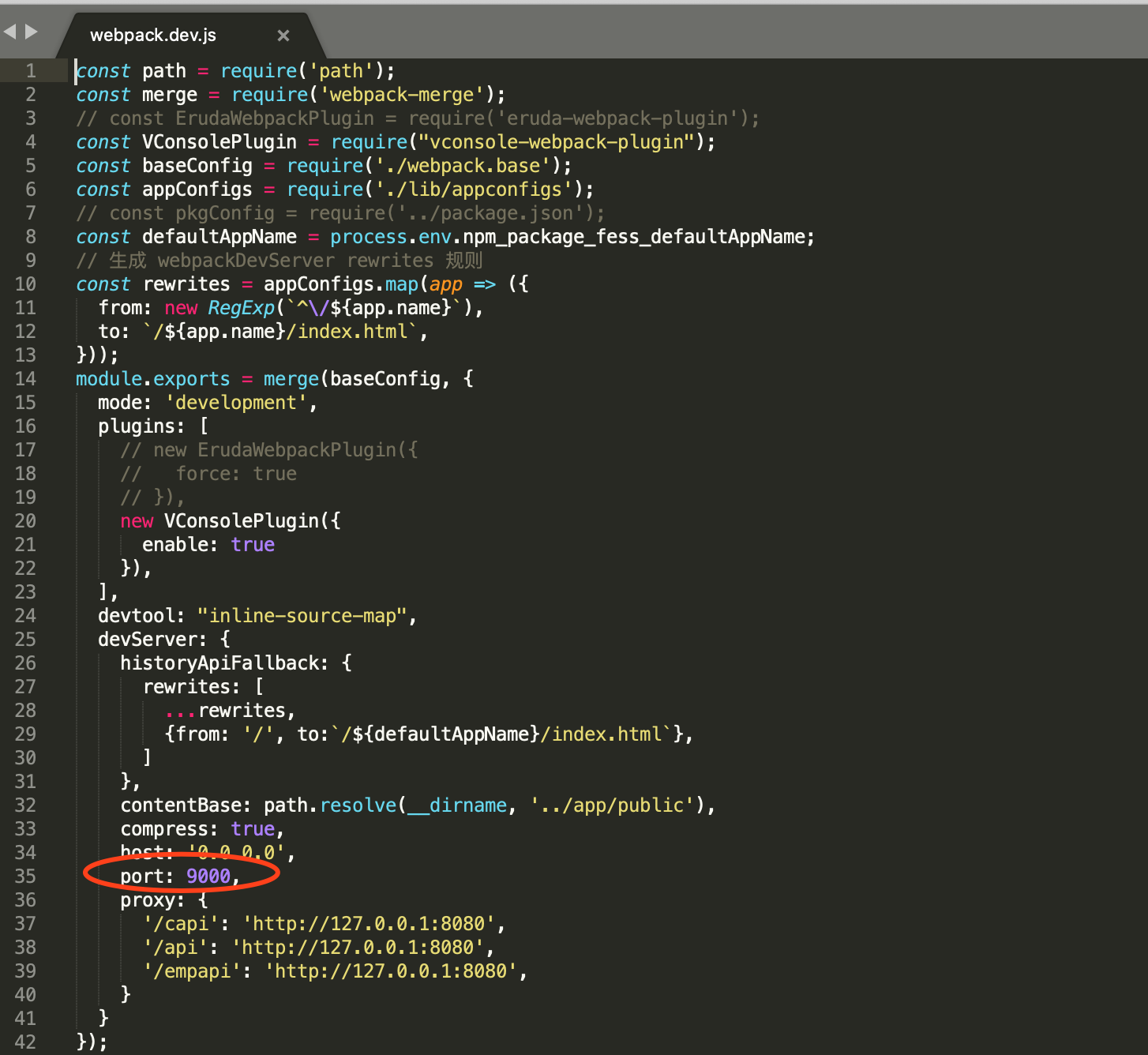
2、URL主路径的获取
http://localhost:9000/ 其中9000即是上面的端口号
3、URL路径的获取
如何得知你的界面的URL地址
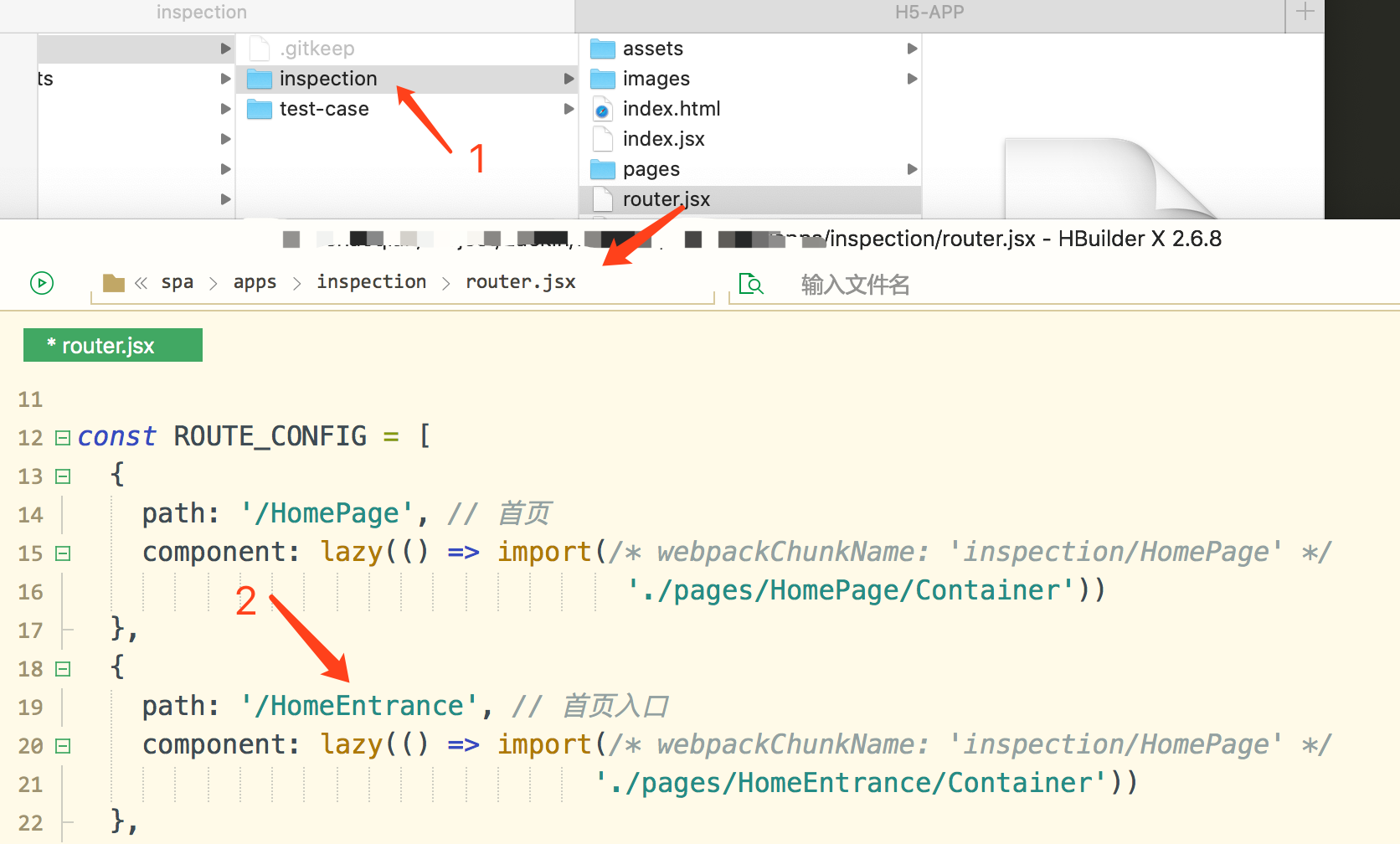
4、浏览器访问
在浏览器中输入地址
http://localhost:9000/inspection/HomeEntrance
document.documentElement.clientWidth;
document.documentElement.clientHeight;
用window.screen.height;window.screen.width;并不准确,当部分手机页面本身有超出屏幕宽度的元素时,会将超出部分也计算进内。目前遇到的机型有ZTE。
进程线程
react-异常状态记录
来源:react-异常状态记录
1.
日志信息:React does not recognize the fieldTypeprop on a DOM element. If you intentionally want it to appear in the DOM as a custom attribute, spell it as lowercasefieldtype instead. If you accidentally passed it from a parent component, remove it from the DOM element.
问题来源:react
原因:DOM节点中被传入了组件属性
1 | const resPorps={ |
如上,fieldType不属于DOM的默认属性,对于React来说,这是一种冗余的写法。
解决办法:将不属于DOM的属性提取出来
1 | const resPorps={ |